

The Challenge
Students weren't struggling to complete tasks. They were struggling to find where tasks lived.
73%
Could not locate frequently used services within 30 seconds.
68%
Tracked graduation progress manually.
61%
Relied on classmates to navigate the portal.

Complex Navigation: Existing menus are overly nested, making feature access time-consuming.
Insufficient Progress Visualization: Lack of intuitive progress display.
Poor Mobile Experience: Design performs poorly on mobile.
Design Strategy
Dashboard-first architecture with task-based navigation.
Design Solution
Personalized Dashboard
Frequently used actions surfaced immediately.
Graduation Tracker
Visual progress monitoring for degree completion.
Responsive Design
Optimized across desktop and mobile.
Hot Links Visualization
One-click access to critical student services.

Introduced emoji-based categorization that provides immediate visual recognition of incentive types. Transformed the selection process into a more scannable, low-friction experience and shortened the time required to find the most relevant option.

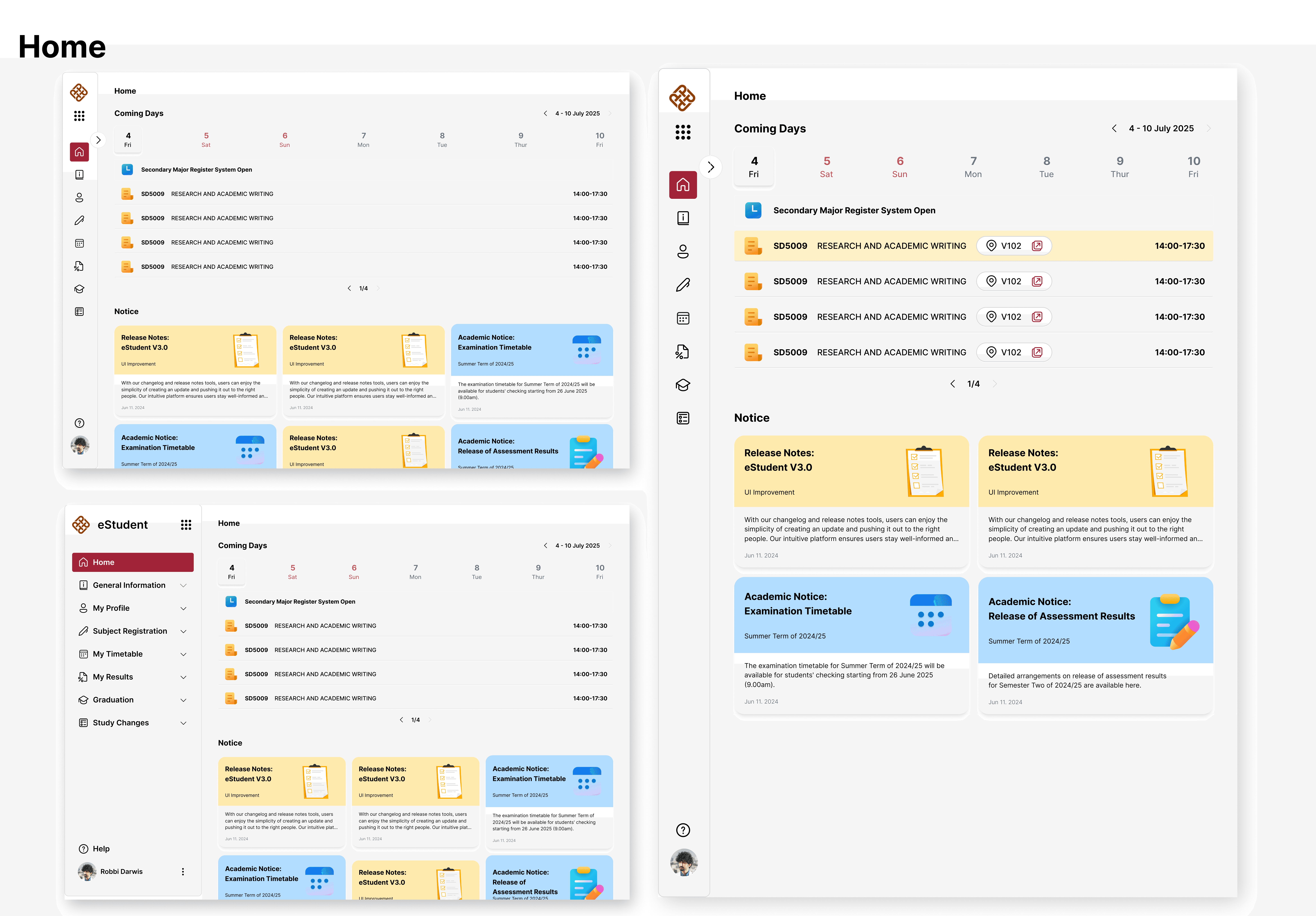
Unified Navigation — Simplified fragmented menus into a clear, scalable structure.
Clearer Hierarchy — Prioritized important information through improved content organization.
Better Discoverability — Used iconography and consistent patterns to reduce navigation effort.
Optimized Layout — Increased content space with a collapsible sidebar.
Modern Experience — Turned a static portal into a task-focused student workspace.



Validation & Impact
Conduct usability testing with students to evaluate task completion rates, navigation efficiency, and satisfaction.
20%
Higher satisfaction score
35%
Reduced task completion time